Slide to your row. Tap to count.
Open the PDF pattern you already bought. A highlighter marks your row, one tap moves the row and repeat counters together, and it all stays put until you come back.
Harbour Cowl
Lace section, worked 8 times
Rnd 1: *K1, yo, k2tog, k3, ssk, yo; rep
Rnd 2: Knit all sts.
Rnd 3: *K2, yo, k2tog, k1, ssk, yo, k1; rep
Rnd 4: Knit all sts.
Rnd 5: *K3, yo, sk2p, yo, k2; rep
Rnd 6: Knit all sts.
Body
Work in stockinette until 9 in.
This one works. Tap the red counter.
You bought the pattern. You should not need a trial to open it.
Popular pattern apps advertise free, then ask for a trial or Pro the moment you save a PDF. Row Keeper never puts a paywall in front of your first project.
Other pattern apps
“I downloaded this app because I wanted a row counter. It made me get a free trial in order to use it.”App Store review of a popular pattern app, 1 star
Row Keeper
Your first project keeps every feature, free, with no time limit. Pro is one payment of $6.99 when you want more projects.
One job, done in seconds, with one hand.
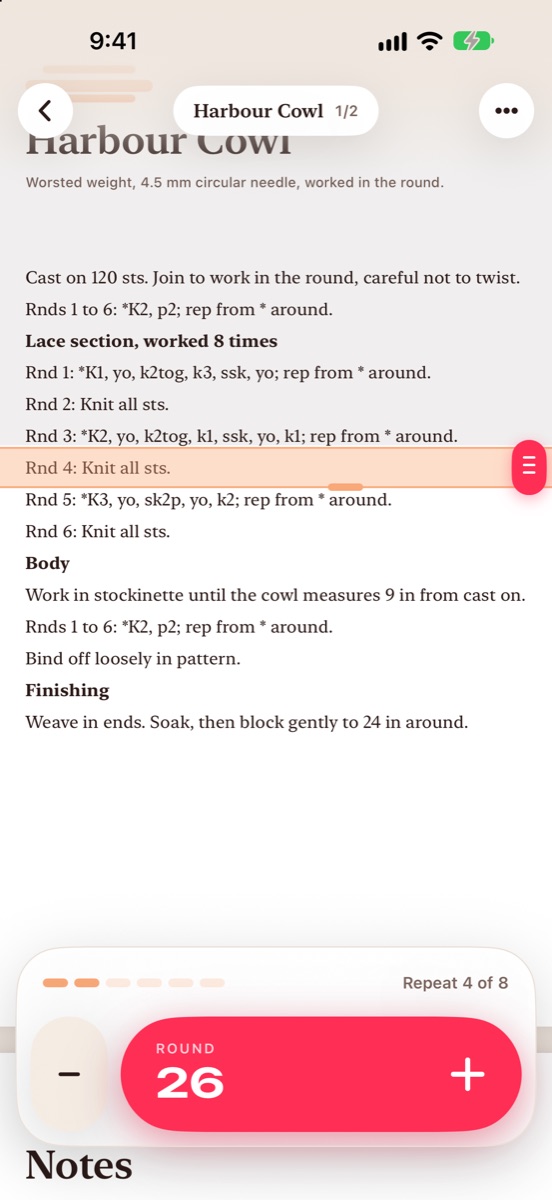
A bar that knows your rows
Slide the highlighter onto your row and it settles exactly on the line. Rows you have finished fade back. Touch and hold any row to jump there.
- Works with any PDF from Files, Mail or Safari
- Stays where you left it, page and zoom included
- Moves on to the next page by itself
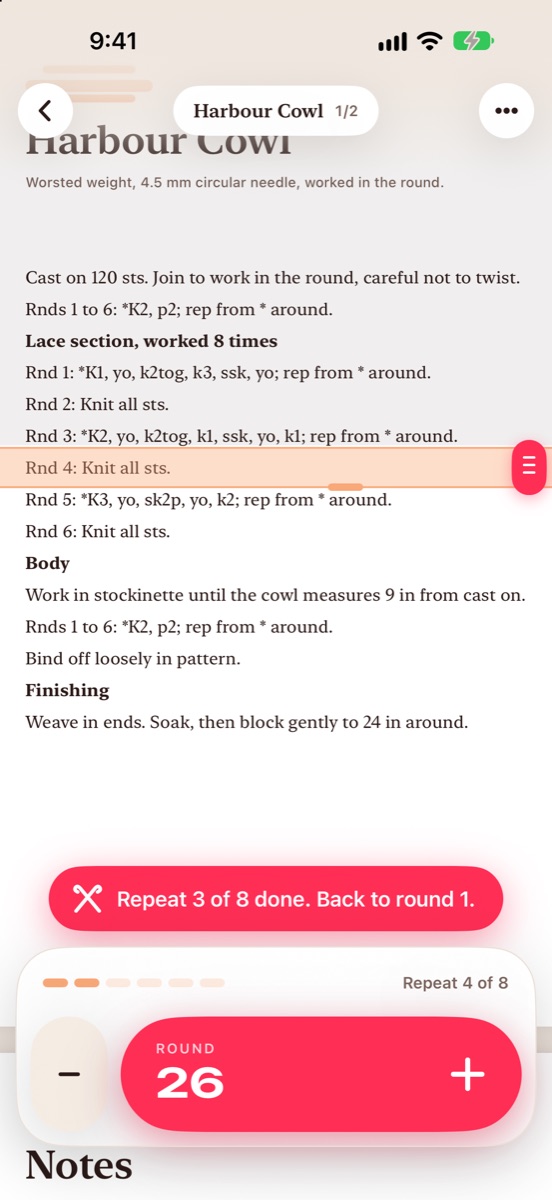
Repeats count themselves
Tell it the repeat is six rounds, worked eight times. After round six the bar jumps back to round one and the repeat count goes up. After the last repeat it moves on.
- One tap moves the row count, the repeat and the bar
- The minus button undoes exactly, even across a repeat
- Little ticks show where you are in the repeat
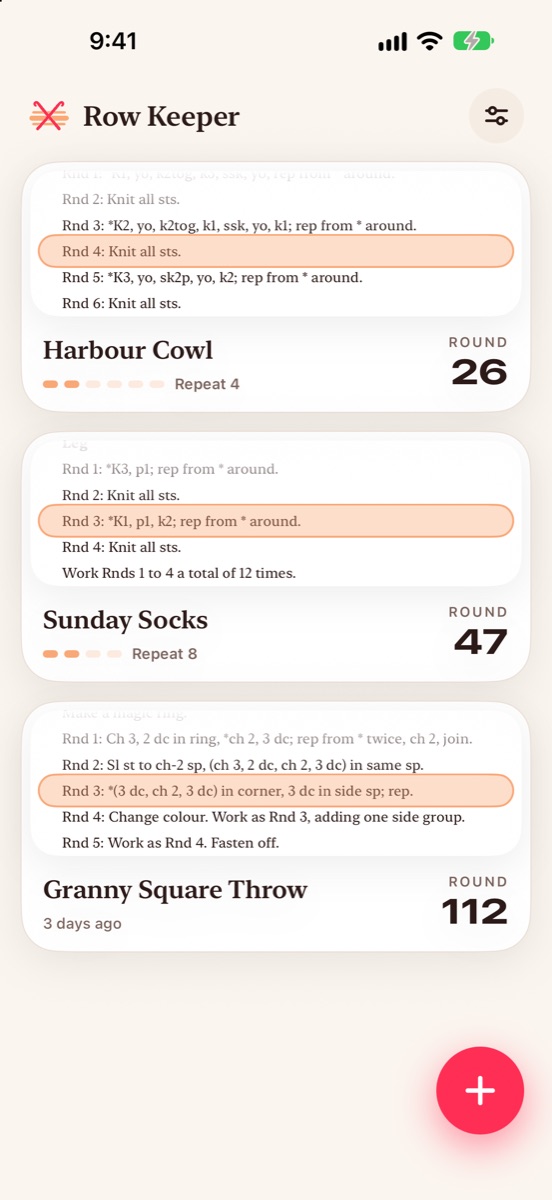
Every project keeps its place
Socks on the needles and a throw on the hook? Each project remembers its page, zoom, bar and counts. The list shows the actual row you stopped on.
- Pick up any project in one tap
- Count rows or rounds, per project
- Back everything up to one file for a new phone
Thumb first
The counter is the biggest thing on screen and sits under your thumb. Left-handed? Flip it.
Screen stays awake
While a pattern is open the screen stays on, so it is there when you look up.
Private by design
No account, no ads, no tracking, no server. Your patterns never leave your phone.
Free to use. Pay once to keep more.
Free
- One project with every feature
- Highlighter, row and repeat counters
- Screen awake, haptics, dark mode
- Built-in sample pattern to try
Pro
- Unlimited projects
- Backup file for a new phone
- Family Sharing included
- Every future update
Good to know
Is Row Keeper really free?
Yes. Your first project has every feature with no trial and no time limit. Pro is a single $6.99 payment for unlimited projects and the backup file.
Do I need an account or a subscription?
No. There is no account, no subscription and no trial. Everything stays on your phone.
Which patterns work?
Any PDF: knitting, crochet, cross stitch or charts. Open it from Files, or tap the share button in Mail or Safari and choose Row Keeper. On text patterns the bar snaps to each line; on scanned charts it moves by the height you set.
How do repeats work?
Set how many rows are in the repeat and how many times to work it. After the last row, the bar jumps back to the first row of the repeat and the repeat count goes up. When every repeat is done, it moves on past them.
What happens when I get a new phone?
With Pro, save one backup file to Files or iCloud Drive and open it on the new phone. Every pattern, page and count comes back.
Does it work on iPad?
Yes. Row Keeper runs on iPhone and iPad with iOS 18 or later.
Never lose your row again.
Free to start. Your first project is yours for good.